
Super Mario Odyssey is a favorite game for many Nintendo Switch players, but it can be really frustrating when the game keeps crashing. Whether you are about to finish a tough level or just exploring, sudden crashes can ruin the fun. Luckily, there are several easy ways to fix these problems, and most of them do not need any special tools or skills. In this article, we will show you step by step how to solve Super Mario Odyssey crashing on your Nintendo Switch so you can get back to playing without any worries.
Solution 1: Update Nintendo Switch
The outdated Nintendo is one of the main causes behind the crashing.
Sometimes, the unavailability of the internet might cause Switch to skip some recent crucial updates. So, it’s recommended to check and update the Nintendo Switch manually to solve Super Mario Odyssey not loading.
How do I update my Nintendo Switch?
Here are 5 steps to update the Switch:
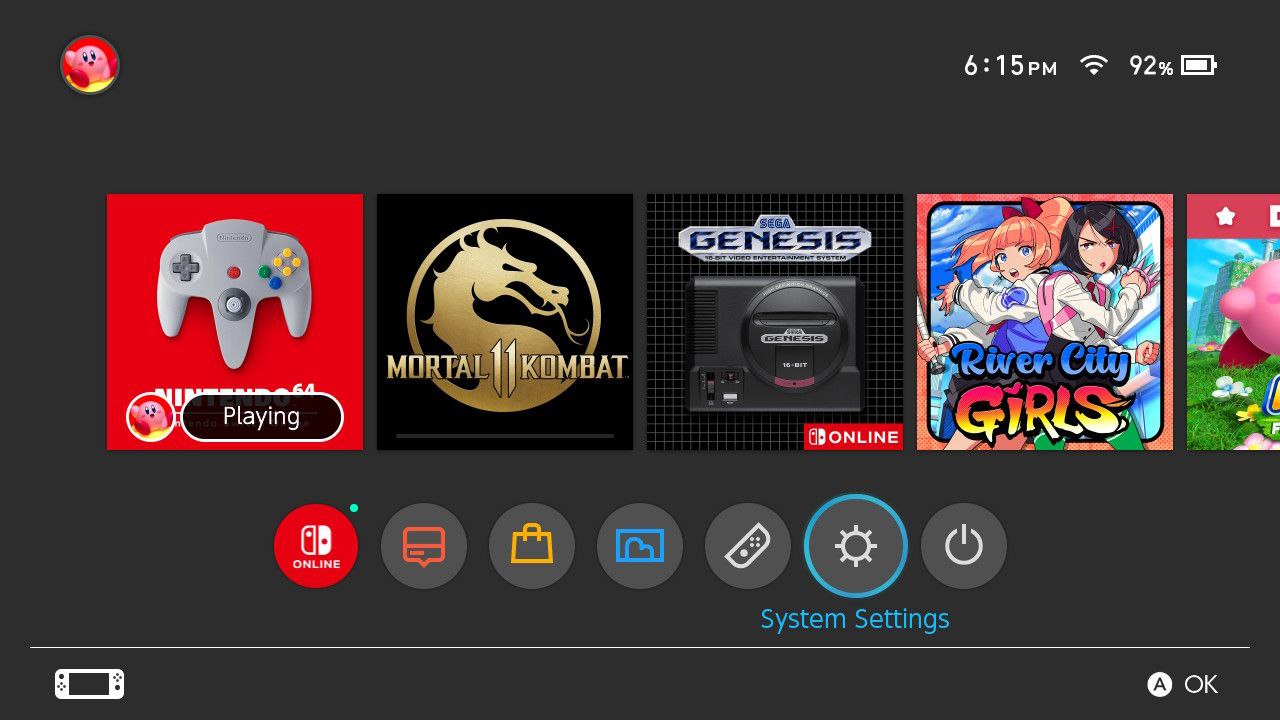
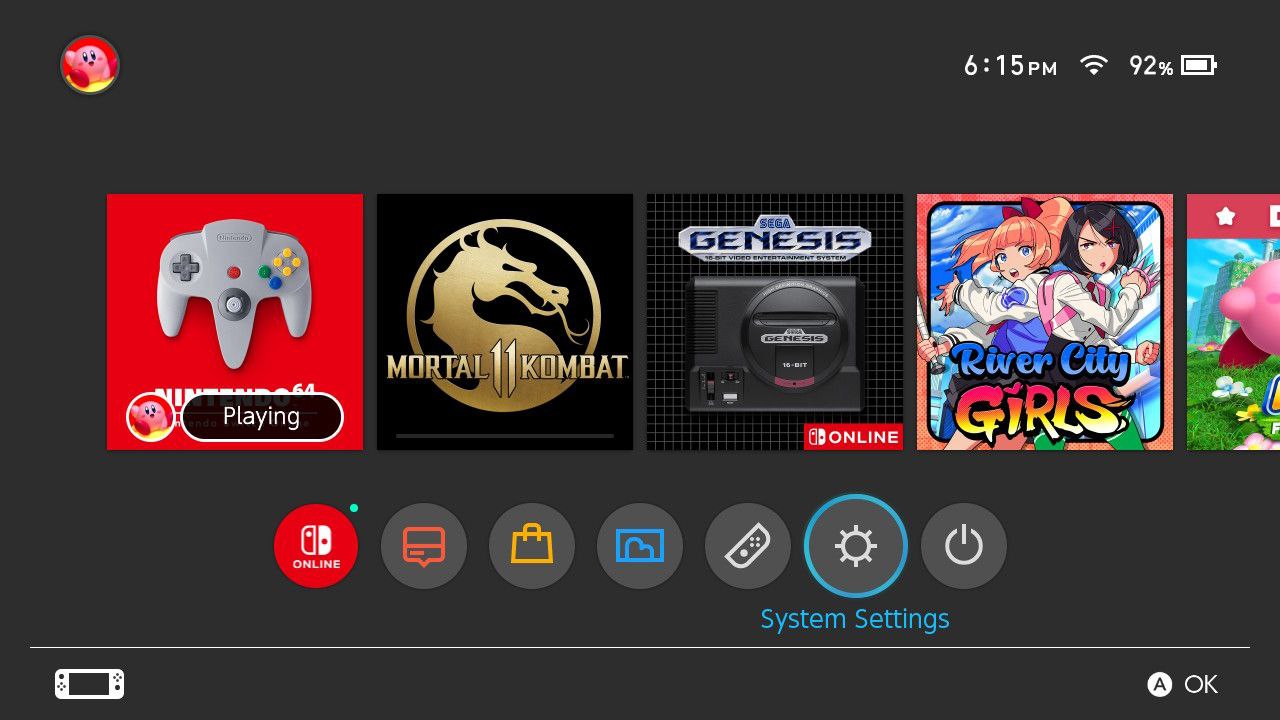
- Open the Nintendo Switch HOME menu and click on the System Settings located in round icons in the home menu
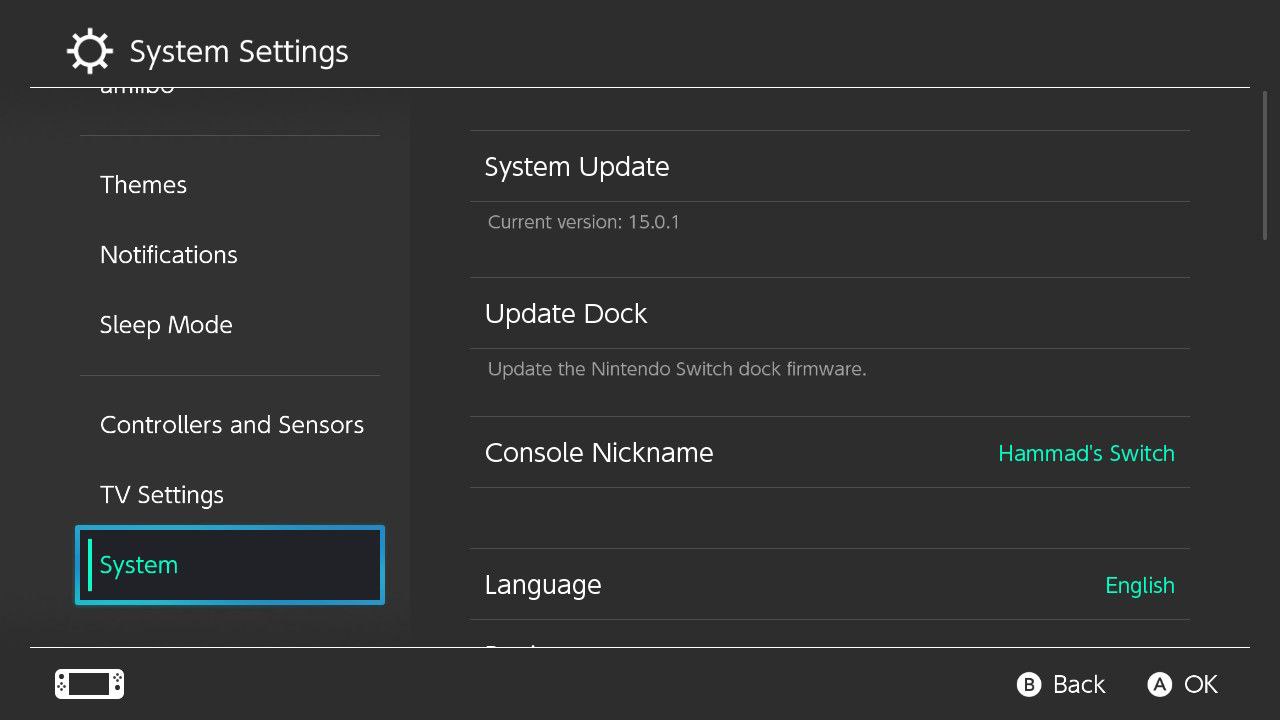
- A System Settings window will open, scroll down on the left menu. Select System
- Now Select System Update
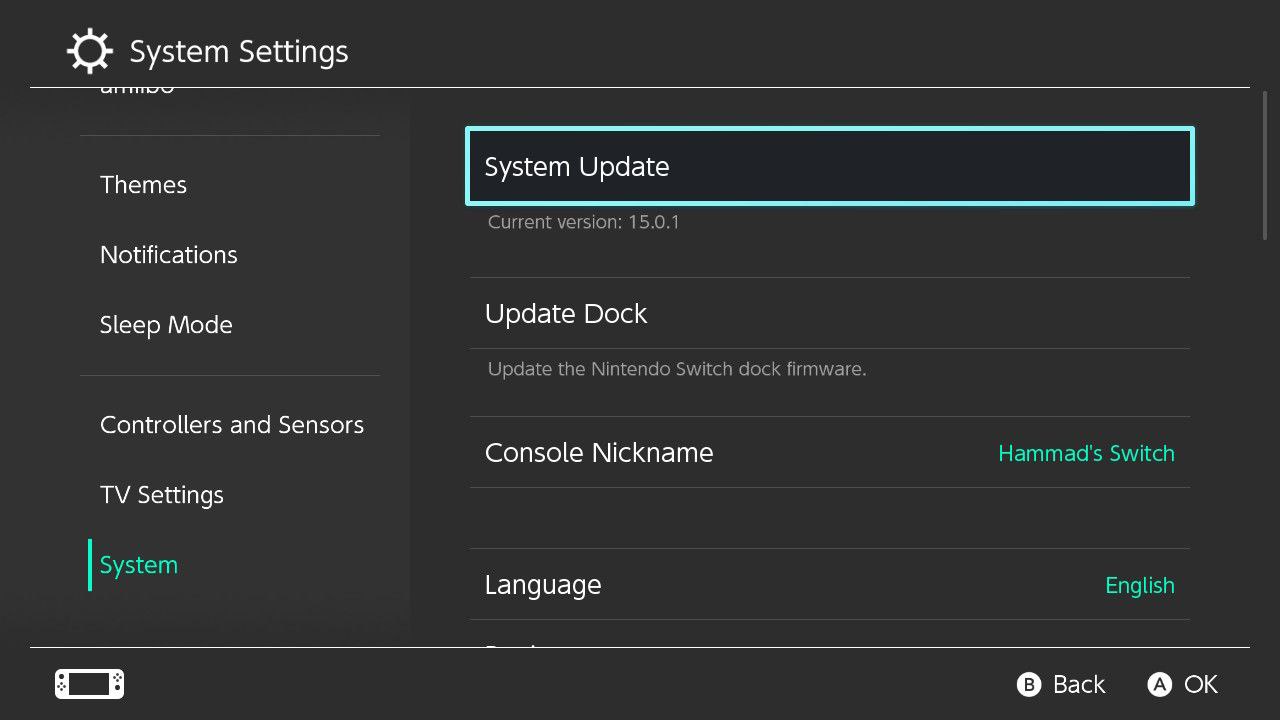
- The Nintendo Switch will start updating the software.
After updating the software restarting the console and checking the Super Mario Odyssey not loading is solved.
Solution 2: Make Sure Switch is Not Overheated
If your Nintendo Switch is overheating due to any reason, it can be one of the major reasons for decreased performance which in many cases leads to shutdown.
We have compiled a complete guide on what can overheat the Nintendo Switch, and how can this be solved.
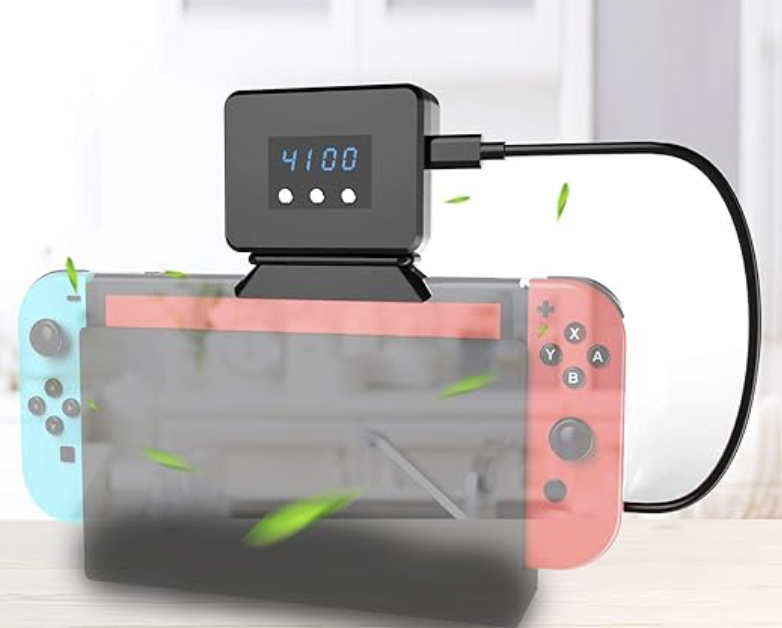
One of the common issues is no ventilation in docked mode and where cooling fans can work efficiently.
This product is top-reviewed and provides fast heat dissipation with adjustable fan speeds, temperature display, and sponge protection in a compact, portable design.
Solution 3: Check for Corrupted data
Super Mario Odyssey may get corrupted for some reason and eventually cause black screen. To prevent that we have to clear the corrupted data to solve not loading.
How do I remove corrupted data from a switch?
Here is how you can remove corrupted data from the Nintendo Switch:
- From the home menu, select System Settings
- Scroll on the left menu
- Find and select Data Management
- On the right side Select Manage Software
- Now select the most recent software which gives you an error
- After that select Check for Corrupted data
- When you find the corrupted data delete that software/game
- After uninstalling the game/software
- Go to the eShop
- Find the Game/software
- Select ReDownload
- Select the cloud icon to re-download the game and software
- Now enjoy the Game
If this clearing the corrupted data is no help then proceed to the next solution.
Solution 4: Update Super Mario Odyssey
To resolve shutdown in Super Mario Odyssey, ensure that you have the latest game update installed.
Here’s how to update your game in Switch:
- First, navigate to the Home Screen of your Nintendo Switch.
- Locate the Super Mario Odyssey icon.
- Press the ‘+’ button on your right Joy-Con to open the game options menu.
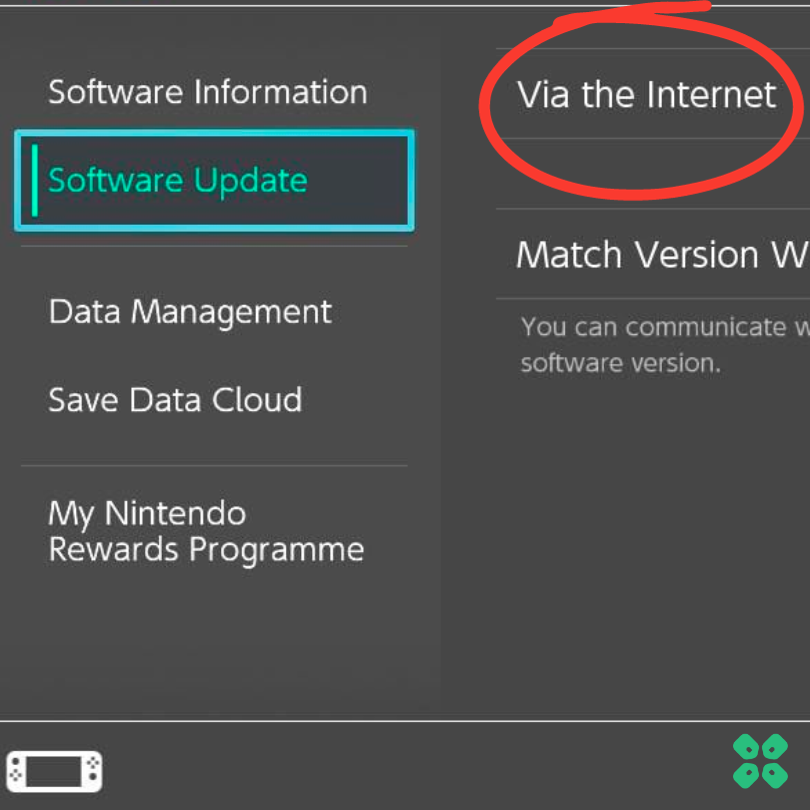
- Select ‘Software update‘, then choose ‘Via the Internet‘. This step ensures your game is up-to-date, potentially resolving any performance issues.
Solution 5: Check Your Game Card
Sometimes the game card can cause such issues too.
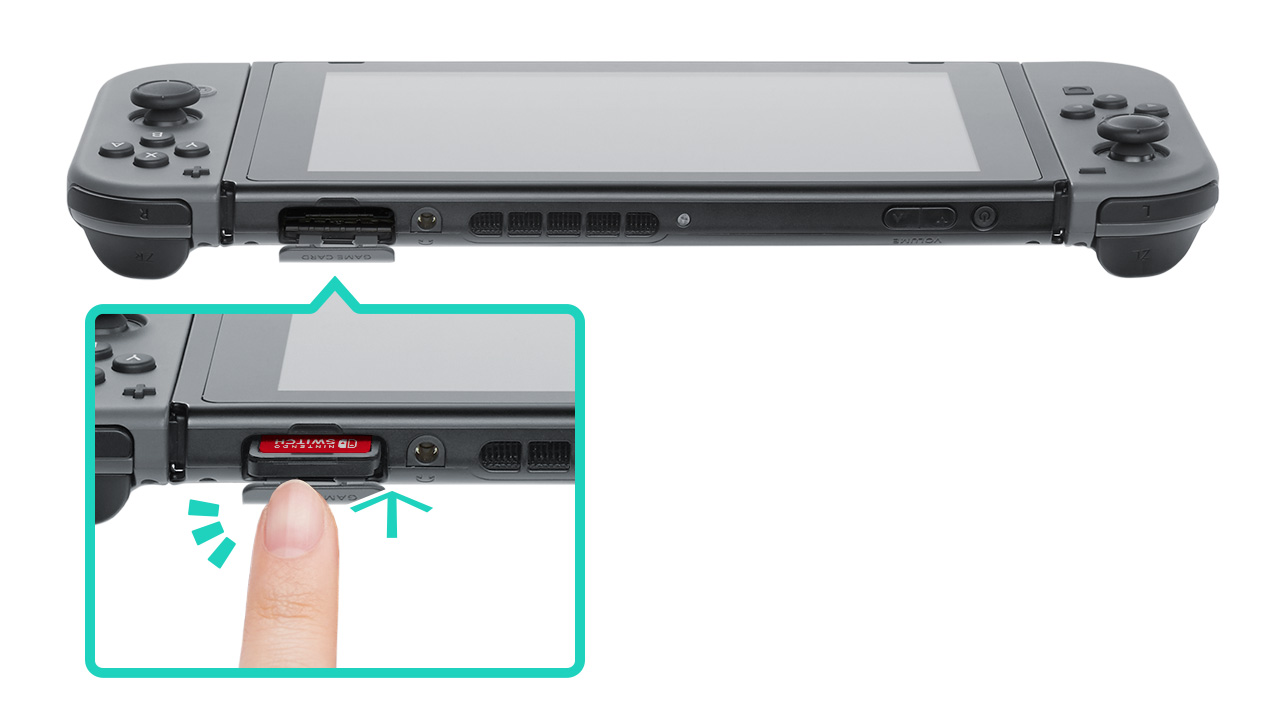
Here’s an easy fix: Make sure the Super Mario Odyssey card is put in right. If it’s not, the game might not start or could keep black screen.
Just take the card out and put it back in. You should hear a small click. This could solve your problem!
Solution 6: Switch Modes
There’s another easy troubleshooting tip you might not have considered:
- Switch Modes: If the game crashes or freezes, change from handheld to docked mode, or vice versa.
- Test Both Ways: Play in docked mode with your TV and in handheld mode.
- Identify the Issue: This helps you figure out if the problem is specific to one mode, and if it doesn’t work in both modes, some more fixes have helped multiple users.
Solution 7: Switching User Profiles to Fix not loading in Super Mario Odyssey
While we try to resolve game-specific and console-specific problems, it’s worth checking out if there’s any glitch with the current user profile.
Let’s try switching user profiles:
- Sign Out and Switch: Try logging out of your current user profile and switching to a different one. If you don’t have one already, here’s how to create a new one:
- Check Purchase Account: For digital copies, ensure you’re using the profile that originally purchased the game.
This can help bypass any user-specific problems, leading to a smoother game launch.
Solution 8: Scan Super Mario Odyssey Files
Game files can get corrupted during installation or updates, causing issues. Let’s scan to check if there’s any problem here:
- Access System Settings: Start from your Switch’s home screen.
- Data Management: Select ‘Data Management’ in the settings.
- Select the Game: Choose ‘Software,’ then ‘Super Mario Odyssey’
- Scan for Issues: Click on ‘Check for Corrupt Data’ to find and fix problems.
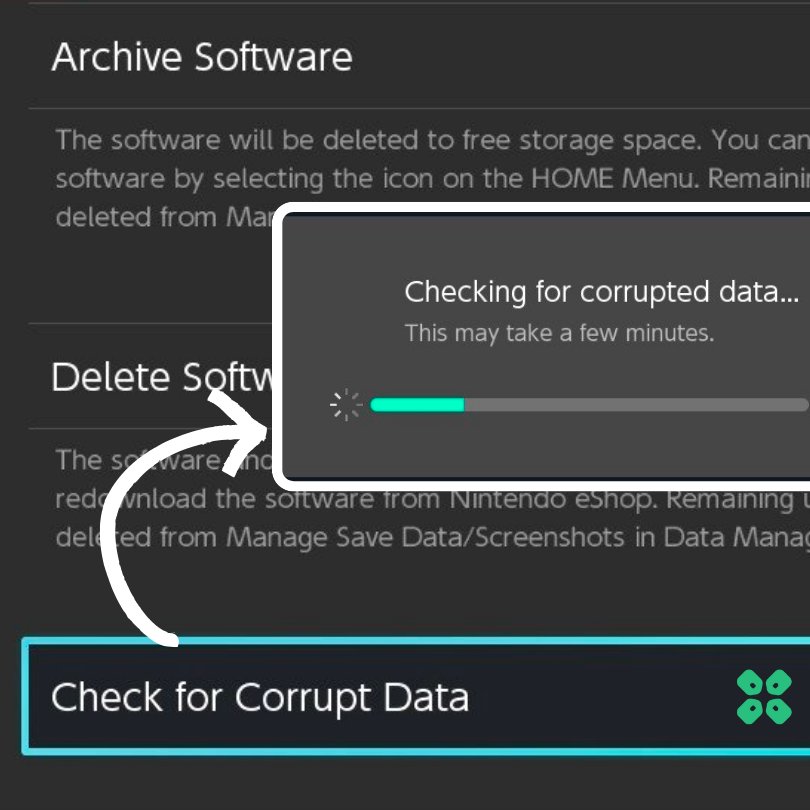
This process can identify and repair any corrupted game files, potentially resolving crashing.
Solution 9: Re-install Super Mario Odyssey
Looks like your issue is still there, unfortunately, and before we reset your Switch, the final resort we have is to reinstall the game.
Here’s a step-by-step guide:
- Start by Deleting the Game:
- Hit ‘+’ on your joycon while the game is selected.
- Scroll Down to ‘Manage Software’.
- Uninstall Mortal Kombat 1:
- Choose ‘Delete Software’. This step clears any potential corrupted data and resets game settings.
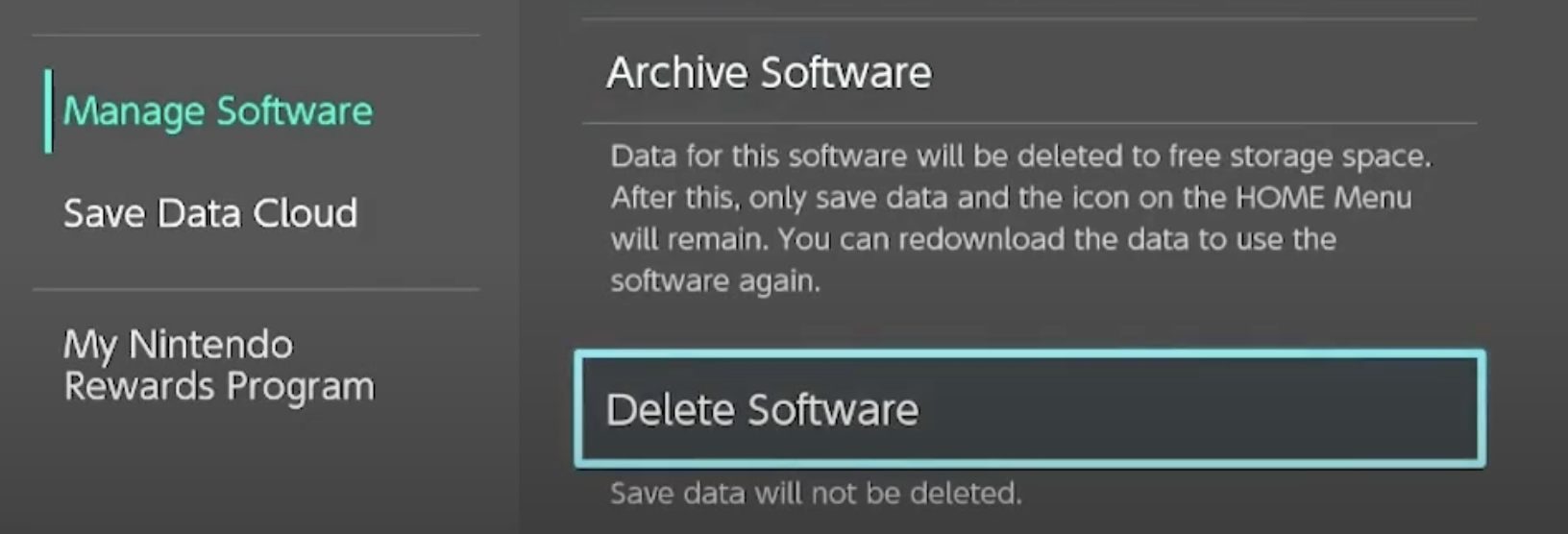
- Choose ‘Delete Software’. This step clears any potential corrupted data and resets game settings.
- Reinstalling the Game:
- Reinstall Mortal Kombat 1. If you previously installed it on an SD card, try using the internal storage for a potentially smoother experience.
By following these steps, you can give your game a fresh start, which may solve many common issues.
Did this method work for you?
Solution 10: Soft/Hard Reset Your Nintendo Switch
Still running into trouble with ‘Super Mario Odyssey’ not loading on your Nintendo Switch? Sometimes, the best fix is a simple hard reset or force reboot. Think of it as giving your Switch a fresh start.
This method, often regarded as a last resort, just remember to back up your game data first, so you don’t lose anything important!
We’d do a Soft Reset and check if this works for you before proceeding to a hard reset:
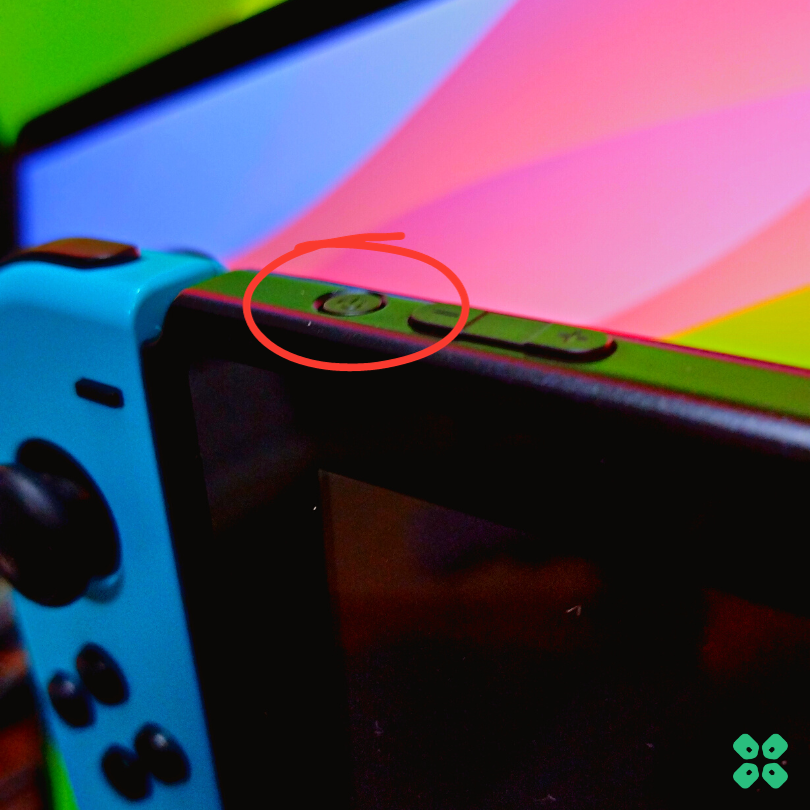
- Press and hold the Power button for at least 12-15 seconds
- Press the power button once to turn the console back on
If this doesn’t work, here’s how to Hard Reset Nintendo Switch via Restore Factory Settings:
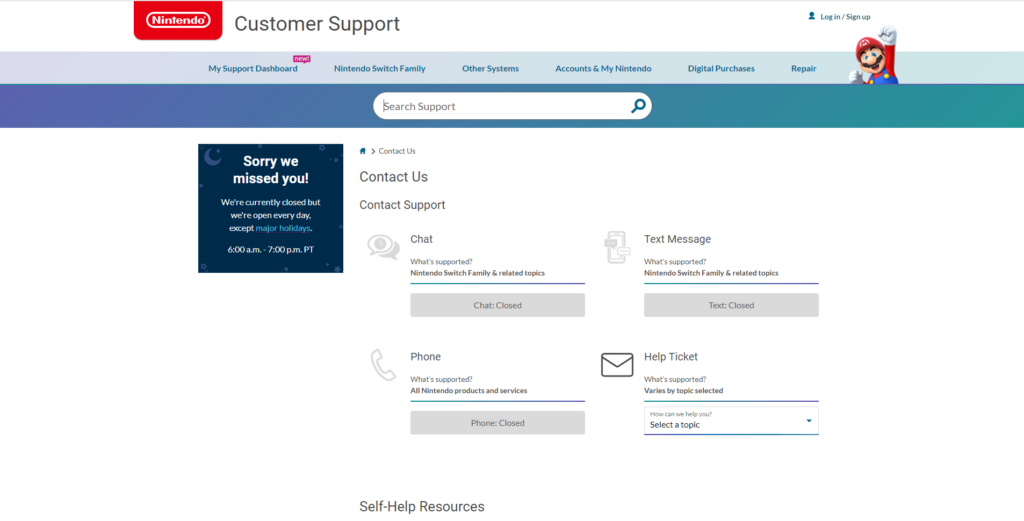
Solution 11: Contact Support
If none of the above solutions worked for you then there is only one way left.
Contact Nintendo customer support and explain you are facing black screen error on Super Mario Odyssey and all the solutions you have tried already so they can assist accordingly.
No one wants their adventure in Super Mario Odyssey to stop because of crashes. If you follow the tips and steps in this guide, you should find a solution that gets your game running smoothly again. Remember to keep your Nintendo Switch updated, check for any issues with your game card or data, and try all the fixes before reaching out to support. With a little patience, you will be back to helping Mario on his journey in no time.



![Dead Space Error 0xc000007b “Unable to Start Correctly” [SOLVED]](https://www.thecpuguide.com/wp-content/uploads/2023/01/Dead-Space-Error-0xc000007b-768x432.png)